
Short answer
Google says local results are "mainly based on relevance, distance, and popularity". You can't move your shop, but you control the other two:
- Relevance: a complete, accurate profile. Your real name, "Barber shop" as the primary category, hours, services with prices, and a booking link.
- Prominence: a steady stream of genuine reviews that you reply to, fresh photos, and a website that matches your profile exactly.
Most barbershops lose ground on the basics: wrong hours on a public holiday, no prices, no new photos in a year, and reviews nobody answers.
How Google decides who shows up
Google publishes the three things it weighs for local results:
- Relevance: how well your profile matches the search. A barbershop with a complete profile, the right category and listed services matches "skin fade" or "beard trim" better than an empty one.
- Distance: how far you are from the person searching, or from the place they searched for.
- Prominence: how well known you are. Google says this includes information from across the web, such as links and articles, and that "more reviews and positive ratings can help your business's local ranking."
Google's own improvement tips are plain: verify your business, keep information complete and current, respond to reviews, and add photos. Nothing on that list is a trick. That's the point: the shops that do the basics consistently win.
The setup, step by step
1. Claim and verify the profile
Search for your shop on Google Maps. If it's listed, claim it. If not, add it. Then complete verification. Google chooses the method, which may be a phone call, text, email or video. An unverified profile is easy for someone else to edit and usually won't reach its potential.
2. Use your real name, and nothing else
Google's guidelines say your name should reflect your real-world business name, as used consistently on your storefront, website and stationery. "Fade Lab" is right. "Fade Lab | Best Barber Papakura Skin Fades" breaks the rules and can get the profile suspended. If you want a suburb in your name, put it on the sign first.
3. Choose "Barber shop" as your primary category
The primary category is one of the strongest relevance signals you control. Pick Barber shop. Google tells businesses to use the fewest categories needed to describe the core business. Only add a second one, such as a hair salon category, if you genuinely operate as both.
4. Address, hours and holiday hours
- Address: your real storefront. If you're a mobile barber with no shop clients visit, hide the address and set a service area instead. Google caps this at roughly two hours' drive from your base.
- Hours: your regular customer-facing hours, not when you arrive to set up.
- Special hours: set them for every public holiday: Waitangi Day, Easter, Anzac Day, King's Birthday, Matariki, Labour Day and the Christmas to New Year break, plus your regional anniversary day. Someone who walks to a closed door because Google said "Open" won't come back.
5. Services, prices and a booking link
Add each service with a price: skin fade, scissor cut, beard trim, kids' cut, hot towel shave. People compare price before anything else, and service names help you match specific searches.
If you take online bookings, go to Edit profile → Contact → Appointment links and paste your booking page. Google may take a day or two to review it. That puts a booking action right on your listing.
If you don't take bookings, write "Walk-ins welcome" in your description so nobody goes looking for a button.
6. Photos that do a job
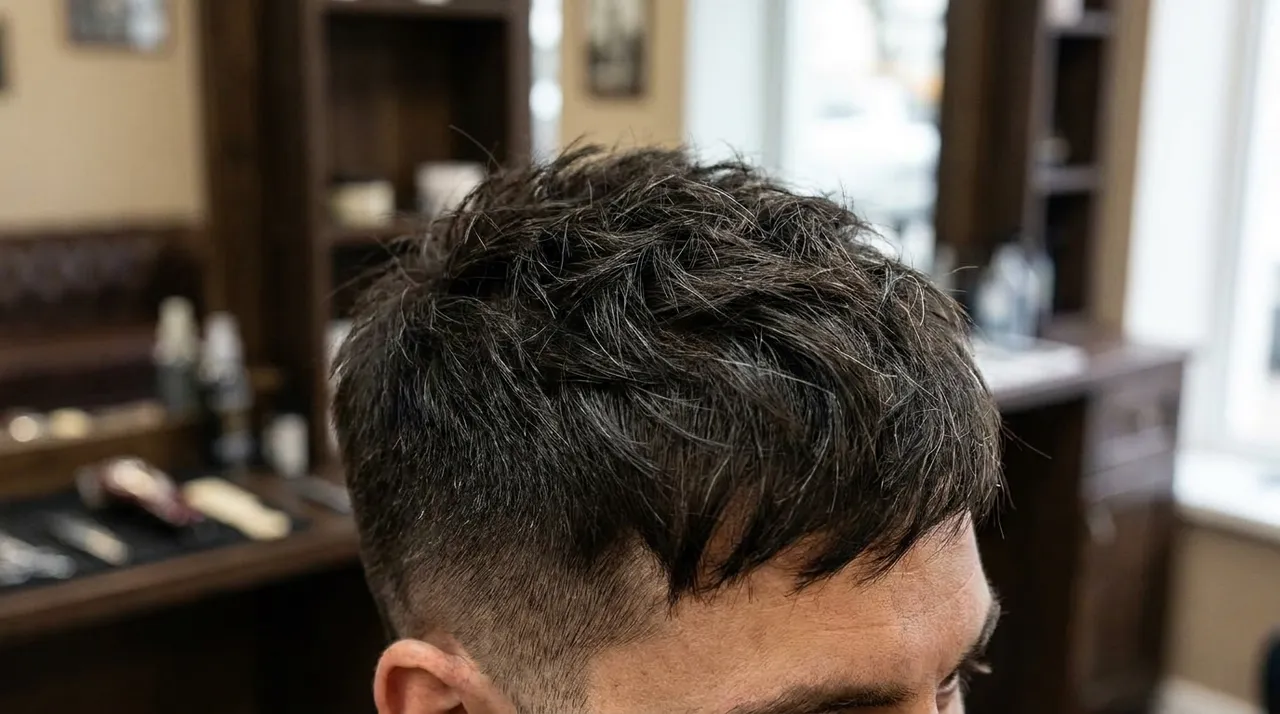
Google recommends adding photos and videos. Make each one useful to someone deciding whether to come in:
- The shopfront from the street, so people recognise the door.
- Inside the shop, so they know what they're walking into.
- The team, with the client's permission if clients are in shot.
- Recent work: fades, beards, kids' cuts. Add new ones every week or two.
- Your logo and a cover photo that looks right on a phone.
7. Description and website
Write a plain description: what you do, who you're for, whether you take walk-ins, parking, and what makes you different.
Link your website, and make sure the site shows exactly the same name, address, phone and hours. Mismatches between your profile and your website weaken both. For what the site itself should include, see what a barbershop website actually needs.
A review routine that follows Google's rules
Reviews are the part of prominence you can build every day. Google's review policy is strict, so here's what's allowed and what isn't.
Allowed
- Asking every client for an honest review.
- A QR code or short link at the counter and on receipts.
- Replying to every review, good and bad.
- Reporting reviews that genuinely break Google's policy.
Not allowed
- Offering a discount, free cut, product or payment for a review.
- Asking only the clients you know are happy ("review gating").
- Pressuring people to review while they're still in the shop.
- Staff or family reviewing the shop, or quotas for staff to collect reviews.
The routine
- Get your review link from your Business Profile ("Ask for reviews") and turn it into a QR code.
- Put the QR code where people pay and on the mirror station, with one line: "Tell Google how we did."
- Ask at the mirror, when the client is looking at the finished cut. One sentence, no pressure: "If you've got a minute later, a Google review really helps us."
- Reply to every review within a few days. Thank people by name. For a bad one, stay calm, don't argue in public, and offer to sort it out offline. Future clients read the reply more than the complaint.
Mistakes that cost barbershops
- Keywords in the business name. This is the quickest way to a suspension.
- Two profiles for one shop, often an old one from a previous owner. Merge or remove the duplicate.
- The map pin in the wrong spot, especially in malls and arcades. Drag it to your actual door.
- A personal mobile nobody answers. Google turned off Business Profile chat on 31 July 2024, so calls matter more. Use the number someone will actually pick up.
- Buying reviews or swapping reviews with other businesses. Google removes them and can restrict your profile.
- Holiday hours never set. See step 4.
- A website that disagrees with the profile: old hours, an old phone number, a different name.
The 10-minute monthly routine
- Reply to any review you haven't answered.
- Add four to eight new photos of recent work.
- Check hours and set special hours for the next public holiday.
- Check prices still match your price list and website.
- Look at the profile's performance numbers: calls, direction requests and website clicks. Note what changed.
FAQ
How do I get my barbershop into the Google map results?
Google says local results are mainly based on relevance, distance and prominence. You can't change distance, but you can improve relevance with a complete, accurate profile and the right category. You improve prominence with steady genuine reviews, replies to reviews, photos and a website that matches your profile.
Can I add keywords like "best barber Auckland" to my profile name?
No. Google's guidelines say the name should reflect your real-world business name as used on your storefront and website. Adding locations or services that aren't part of your real name breaks the guidelines and can get the profile suspended.
Can I give a discount for a Google review?
No. Google prohibits offering incentives such as discounts, free services or payment for a review, and prohibits asking only happy clients. Ask everyone, offer nothing, and let them write what they want.
Can customers message my barbershop through Google?
Not any more. Google turned off Business Profile chat on 31 July 2024. Customers can still call you, get directions and visit your website from your profile, so make sure your phone number and booking link are right.
Sources
- Google: Tips to improve your local ranking on Google
- Google: Guidelines for representing your business on Google
- Google Maps: user-generated content policy (reviews)
- Google: Changes to Business Profile chat and call history
A website that backs up your Google profile
Every Buzz site shows your hours, a live "open now" badge, prices, map directions and tap-to-call, the same details Google checks your profile against. Online booking gives you a link for your profile's appointment button.
Get my site Browse the demos