
In short
Open Billing and tap Manage billing to change your card, see invoices or change your plan in the secure billing portal.
To stop Buzz, tap Cancel subscription. Your site stays live until the end of the period you have paid for.
Your Buzz plan and price
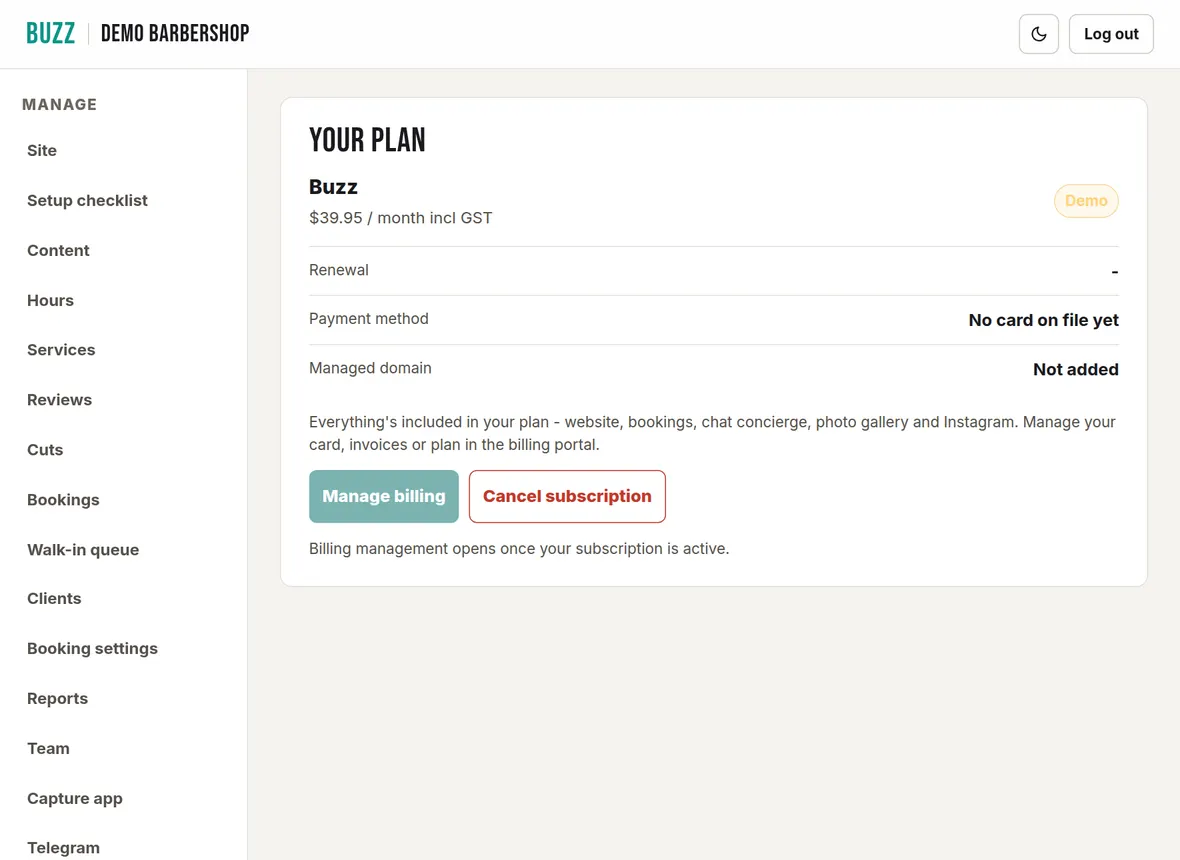
Billing shows your plan, its status, when it renews, the card on file and whether a managed domain is included. Your website, bookings, chat, photo gallery and Instagram are all included in the plan. A managed domain is a NZ$39.95 a year add-on. There is also a Buzz Annual plan at NZ$439 a year with the managed domain included.
Free trial and your card
If you are on a free trial, Billing shows the date it ends. Nothing is charged until then. After the trial, your card is charged NZ$39.95 a month incl. GST unless you cancel first. We email you 7 days and 2 days before the first charge.
If Billing shows an Add a card button, there is no card on your account yet. We email you 14 days and 3 days before the trial ends. Add a card before then, or your site is taken offline when the trial ends.
Change your card and see invoices
Tap Manage billing. The secure billing portal opens, where you can update your card, download invoices and change your plan. The button works once your subscription is active.
Cancel your subscription
Tap Cancel subscription and confirm. Your subscription ends at the end of the current billing period and your site stays live until then. There is no lock-in.
Your web address
The Web address card on the Site page shows where your site lives:
- Free Buzz page: your site is on buzz.airea.co.nz. You can move to your own address, like yourshop.co.nz, at any time.
- A domain Buzz registers for you: we register it, connect it and email you when it is live.
- A domain you already own: the card lists two settings (called DNS records) to add in your account with the company you bought it from. Don't change any other settings there, or your email may stop working. If you get stuck, tell us who the domain is with and we will help. We check every 15 minutes and email you when it is live.
To change your web address, email hello@airea.co.nz.
Related Buzz help topics
- Getting started with the shop console: Signing in, the console menu, your preview, asking Buzz to publish, and how long changes take to show.
- Edit your barbershop website: Theme, opening hours, services and prices, wording, Google search, FAQ, rules, areas served, logo, photos and reviews.
- Clients, reports and Xero exports: Client notes, importing clients from a CSV, takings reports, PDF export and Xero files.
- All help topics
Contact Buzz support
Use the Something needs fixing? box on the Site page of your console, or email hello@airea.co.nz. Tell us your shop name and what you were trying to do, and we reply by email.
Open my shop console