
In short
Clients lists everyone who has booked. Search by name, email or mobile, and open a client to add notes like their usual cut.
Reports shows payments and refunds for any dates. Tap Export PDF for your records, or download the Xero files.
Find a client and add notes
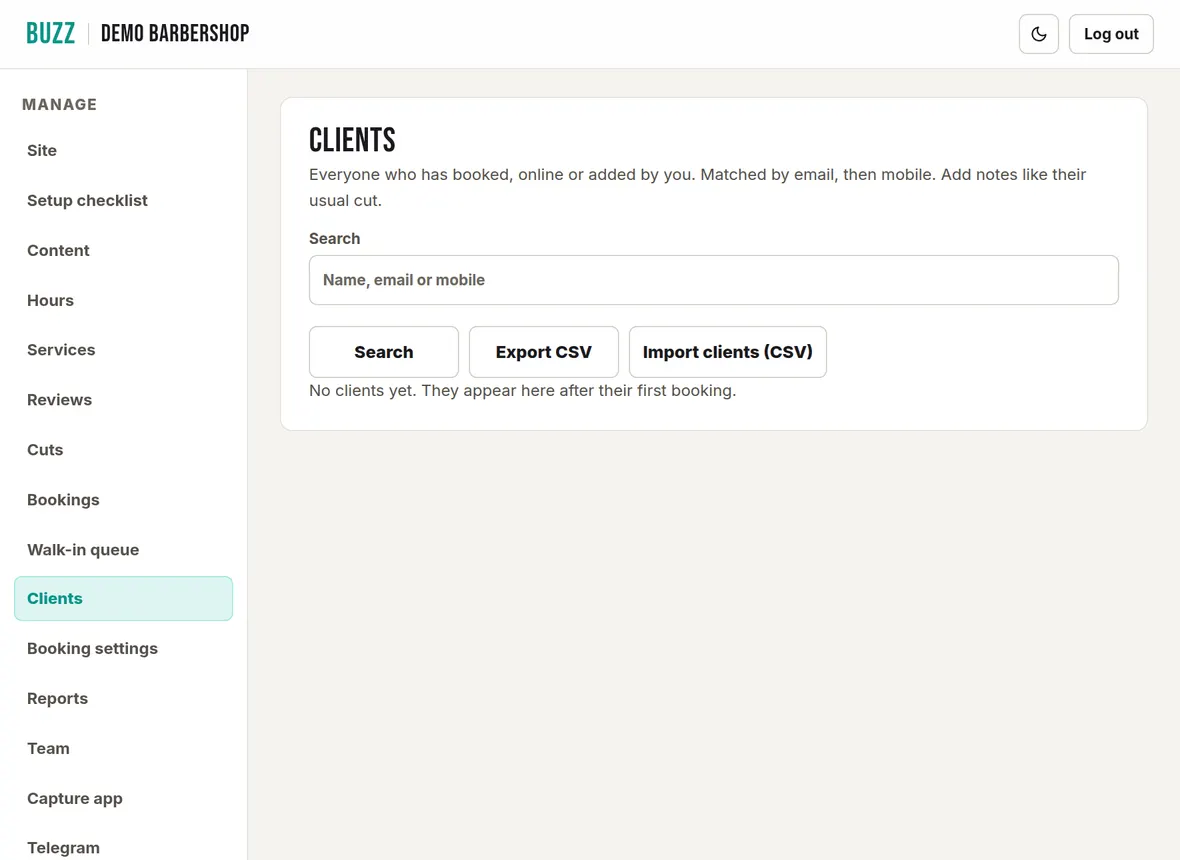
A client is saved the first time someone books, online or added by you. Buzz matches people by email, then mobile, so repeat customers aren't saved twice.
- Open Clients. Type a name, email or mobile and tap Search.
- Tap Open on a client to see their details and every visit.
- Update their details or add Notes, such as clipper grades, then tap Save client.
Import clients from a CSV
A CSV is a simple spreadsheet file. Most booking systems can export one, and Excel or Google Sheets can save one. Use it to bring your client list across.
- Tap Import clients (CSV). Download template gives you a file with the right columns if you are starting from scratch.
- Tap Choose CSV file, then Preview. Buzz shows how many clients are new, updated, already up to date or skipped, and why.
- Check the Columns match (Name, Email, Mobile, Notes). Change any that are wrong, or set them to "Don't import".
- Tap Import (the button shows how many clients, for example "Import 42 clients").
Each client needs a name and an email or mobile. Existing clients only have their empty details filled in; nothing is overwritten. Visit history isn't imported. Files can be up to 5 MB and 10,000 clients.
Export your clients
Tap Export CSV to download your whole client list. It opens in Excel, Numbers or Google Sheets.
Run a takings report
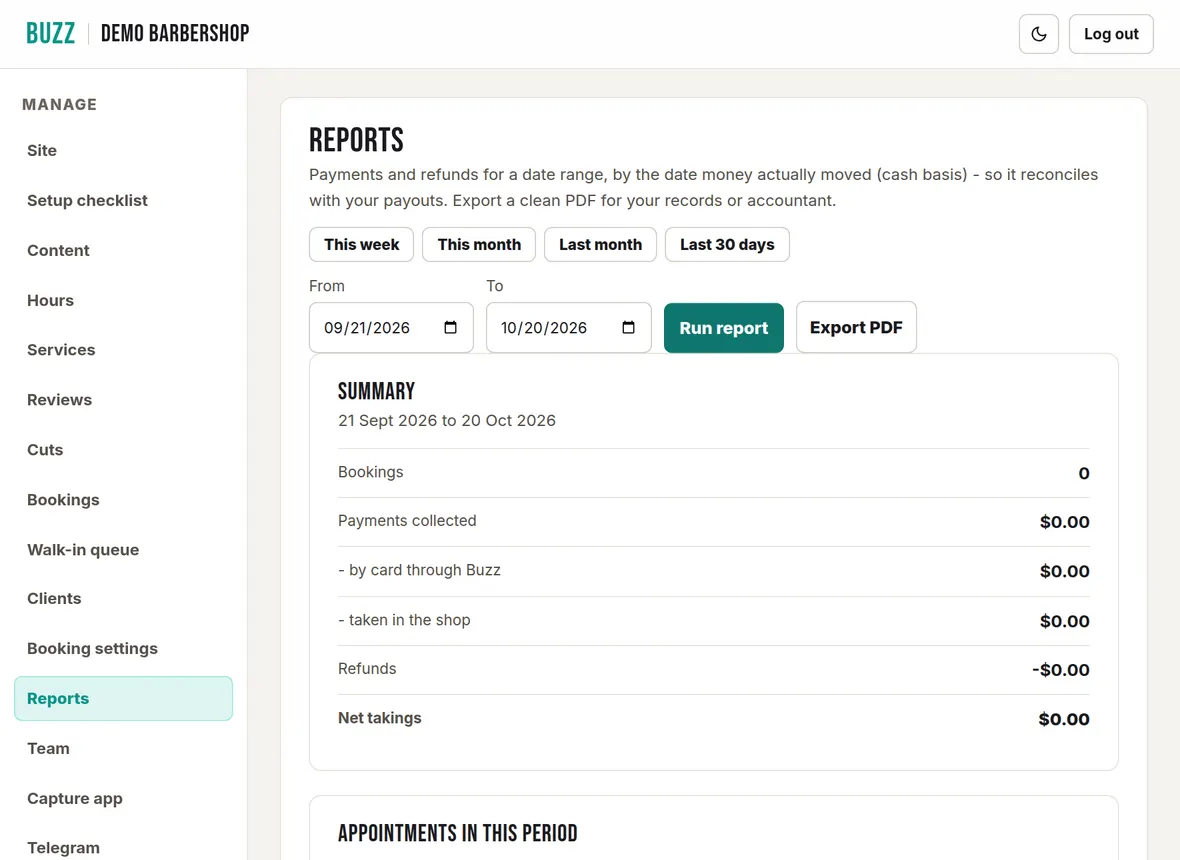
Reports show payments and refunds by the date the money moved, so they match your payouts.
- Open Reports. Tap This week, This month, Last month or Last 30 days, or set your own From and To dates and tap Run report.
- The summary shows bookings, payments collected (by card through Buzz and taken in the shop), refunds and net takings, with a list of every appointment, payment and refund.
- Tap Export PDF to save or print a clean copy for your records or accountant.
Export for Xero
Both files cover the dates set above.
- Download daily takings (Xero): every payment (card, cash and EFTPOS) and refund, as one Xero sales invoice per day. Import it in Xero under Sales, Invoices, Import, with amounts tax inclusive.
- Download Stripe statement (Xero): your Stripe account activity for a Stripe bank account in Xero. Only use it if you have not connected Xero's own Stripe feed, or entries are counted twice.
Not sure which file you need? Ask your accountant.
Related Buzz help topics
- Manage bookings, payments and the waitlist: Add phone bookings, check in, no-shows, reschedule, take payment, cancel or refund, and the waitlist.
- Set up online booking and payments: Connect your bank, choose how customers pay, set cancellation rules, barbers, add-ons, blocked dates and fees.
- Billing, your plan and web address: Your plan and trial, your card and invoices, cancelling, and your web address.
- All help topics
Contact Buzz support
Use the Something needs fixing? box on the Site page of your console, or email hello@airea.co.nz. Tell us your shop name and what you were trying to do, and we reply by email.
Open my shop console