
In short
Install Telegram on your phone, then open Telegram in the console and tap Connect Telegram. It opens Telegram and links it to your shop.
Send /busy or /quiet to your Buzz chat in Telegram to change the status on your site.
Connect Telegram
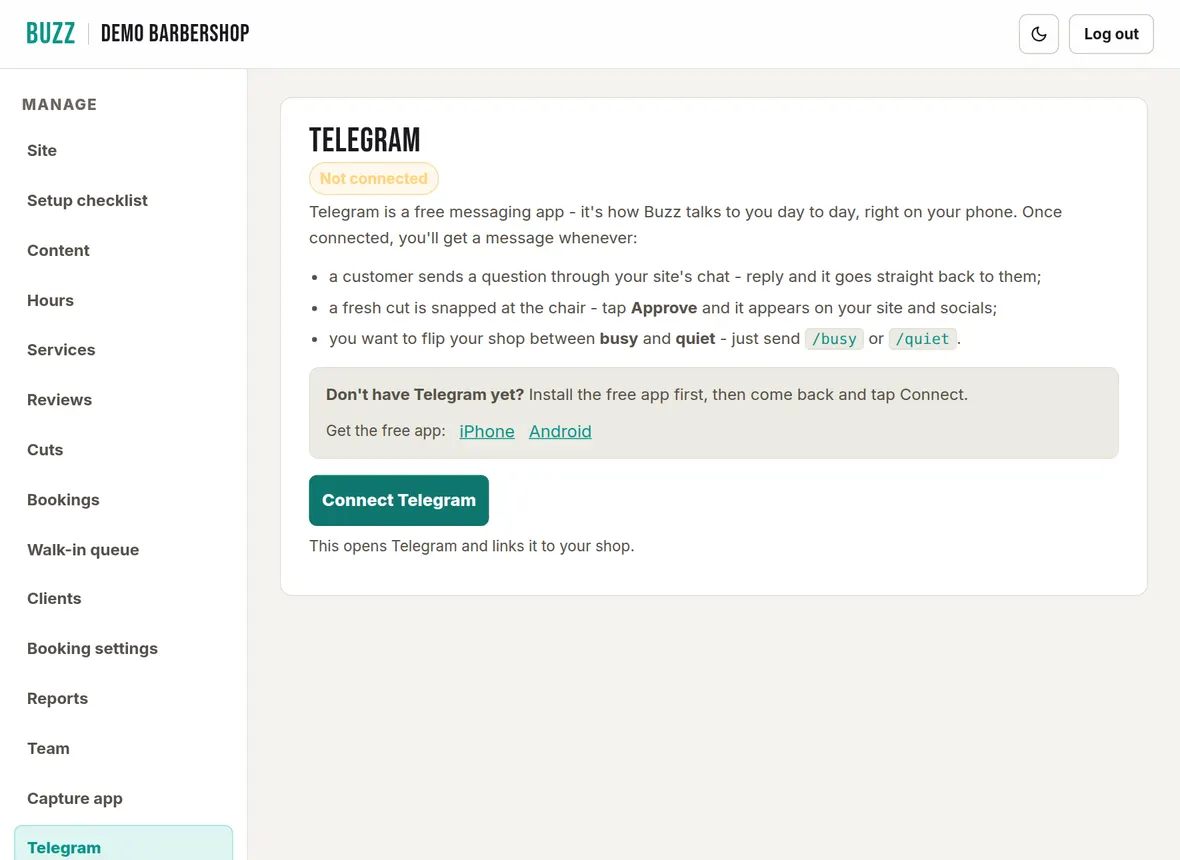
- Install the free Telegram app on your phone (links for iPhone and Android are on the Telegram page).
- Open the console on that phone, go to Telegram and tap Connect Telegram.
- Telegram opens. Tap Start. Buzz replies "Connected to your Buzz site".
The Telegram page then shows Connected. If you change phones, tap Reconnect Telegram.
Answer customer chat
Your site has a chat that answers common questions, such as your hours, prices and where you are, from the details in your console. Keep those details up to date and the answers stay right.
When a customer asks to speak to the shop, their message comes to your phone in Telegram, with anything else they send after it. Swipe a message to reply and your answer goes straight back to the customer. Reply within about 45 seconds to chat live; after that the customer is asked to leave a message.
Approve cut photos
When a cut is snapped at the chair, Buzz sends it to Telegram. Tap Approve and it goes on your site, or reject it. You can also approve on the Cuts page.
Show busy or quiet on your site
Your site shows whether the shop is busy or quiet right now. Send a message to your Buzz chat in Telegram:
/busy: your site shows the shop is busy./quiet: your site shows the shop is quiet and walk-ins are welcome.
Booking and waitlist alerts
Buzz also messages you about new bookings, reschedules, people joining your waitlist and automatic refunds. When a time frees up that matches someone still waiting on your waitlist, Buzz alerts you so you can offer it to them.
Related Buzz help topics
- Cut photos, the capture app and Instagram: Snap cuts at the chair, add before and after photos, approve, download or delete them, and show your Instagram.
- Manage bookings, payments and the waitlist: Add phone bookings, check in, no-shows, reschedule, take payment, cancel or refund, and the waitlist.
- Getting started with the shop console: Signing in, the console menu, your preview, asking Buzz to publish, and how long changes take to show.
- All help topics
Contact Buzz support
Use the Something needs fixing? box on the Site page of your console, or email hello@airea.co.nz. Tell us your shop name and what you were trying to do, and we reply by email.
Open my shop console